
Design every email with your own AI app, plus subscriptions and smart alerts for data dashboards
📧 Design every email with your own AI app
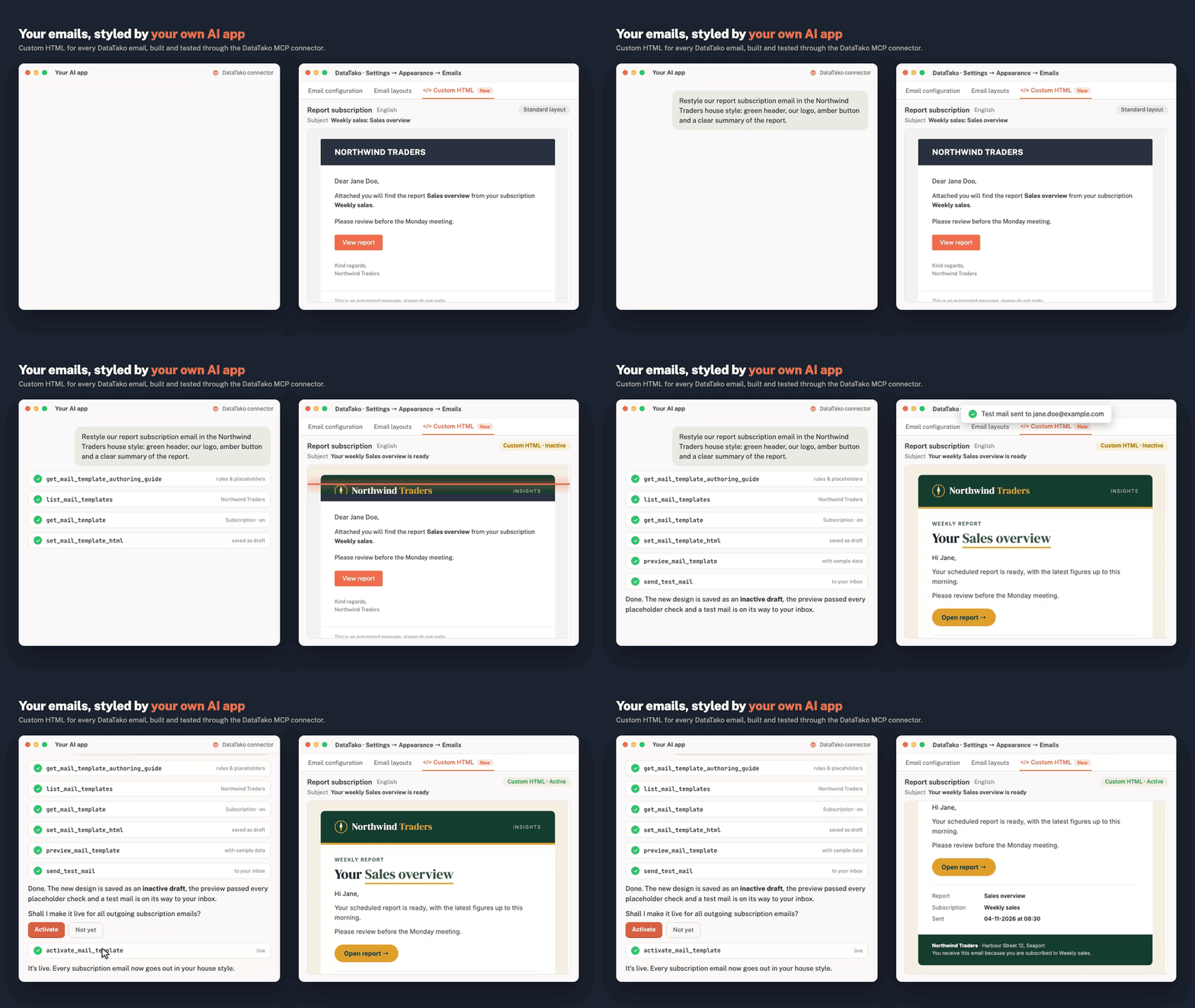
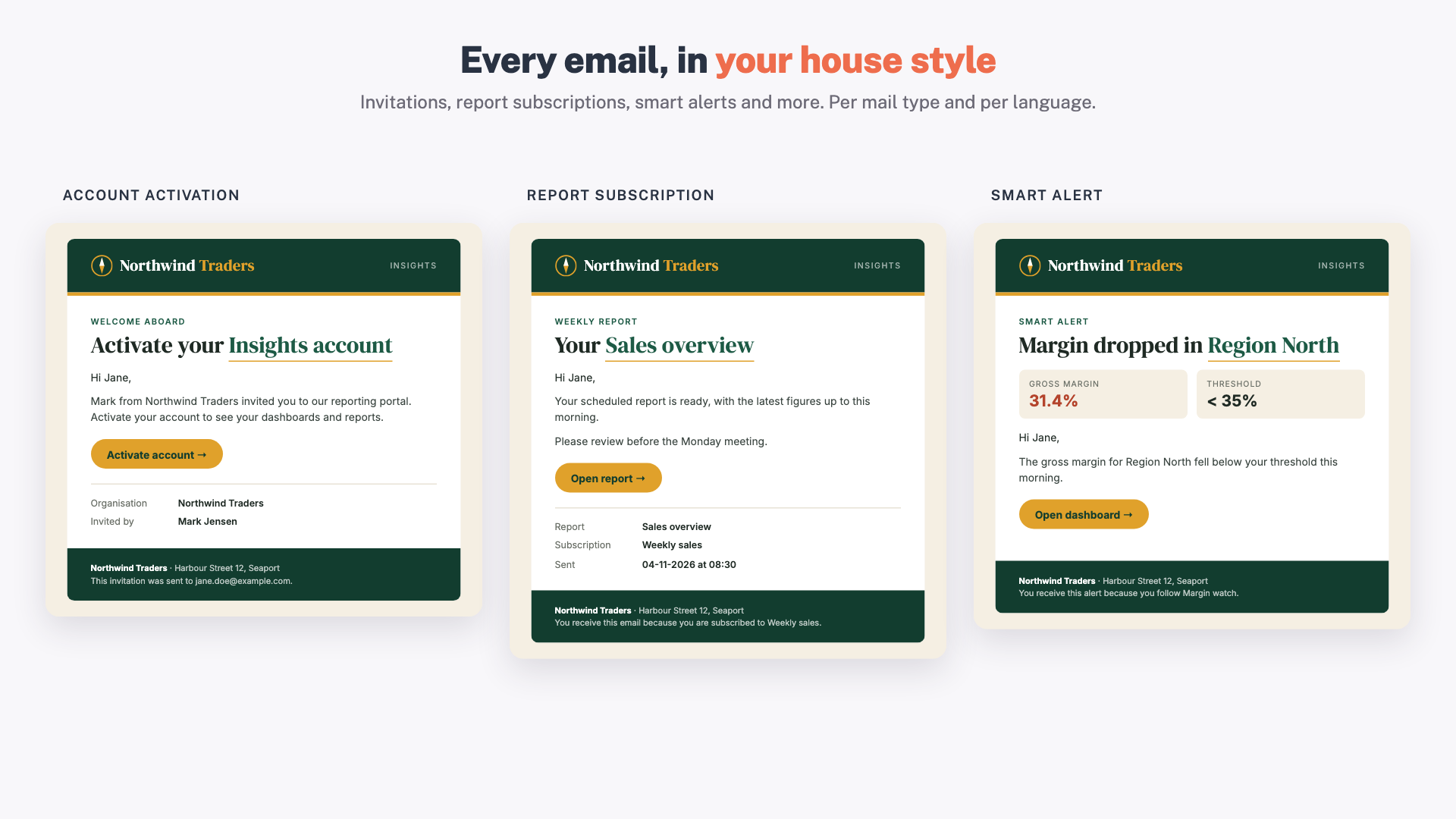
Every email DataTako sends can now have your own design: invitations, password resets, report subscriptions, smart alerts and more. You don't need to write any HTML. Ask your AI app (Claude, ChatGPT, Copilot or any other app connected to DataTako) and it builds the email for you.
How it works
-
Ask your AI app, for example: "Restyle our report subscription email in our house style."
-
It designs the email and sends a test mail to your inbox.
-
Happy with it? Tell it to activate. From then on every recipient gets your design.
Good to know
-
Nothing goes live by accident. A new design is saved as a draft. It only goes out after you activate it, and you can switch back to the standard layout at any time.
-
Per language. Make a version per language, or one for all.
-
Your own mail server required. Custom emails are sent through your own SMTP or Office 365 connection.
-
For administrators. Only organisation administrators can change emails. Every change your AI app makes is logged under Settings → AI apps.
-
No AI app connected? Go to Settings → Appearance → Emails → Custom HTML, click Copy AI prompt, paste it into any AI assistant and paste the result back.
👉 Connect your AI app → · Email settings
📊 Data dashboards now do everything your Power BI reports do
Every feature you already use with Power BI reports now works for data dashboards too.
-
Subscriptions. Email an image of a data dashboard to one or more recipients on a schedule, including people without a DataTako account. Each recipient gets the dashboard with their own row-level security applied.
-
Self-service subscriptions. Turn this on per dashboard and viewers can schedule it to their own inbox, always with their own access.
-
Smart alerts. Get an email when a value crosses a threshold. Each recipient is checked against their own row-level security and only gets an email when their own number crosses the line.
-
Screenshots. Save a data dashboard as an image, just like you can with a report.
So whether you build in Power BI or in DataTako, you can share it, schedule it and get alerts on it the same way.
👉 Build your first data dashboard → · Smart alerts
📨 Subscriptions in the recipient's language
Report subscription emails are now sent in each recipient's own language.
👉 Read more about subscriptions →
👥 Add existing users without an invitation
Working with sub-organisations? Turn on auto-accept under Settings → Security → Invitations. Users who already have an active account somewhere in your organisation get access to a new sub-organisation straight away, without an invitation to accept. Optionally they get a short email with a link straight into the platform.
⚠️ See which reports need attention
Workspace sync now flags reports that can't be shown to viewers yet, for example because the report uses row-level security without roles, or because its dataset sits in another workspace. A banner tells you how many reports need attention, each report tells you what to fix, and one click re-checks it.
⏱️ Refresh limits for semantic models
Limit how often users can refresh the same semantic model through DataTako, for example at most 5 refreshes per 60 minutes. Set it under Settings → Data refresh. Scheduled refreshes in Power BI don't count.
🛠️ Improvements and fixes
- Rename the start folder of your report groups. It's now called Home by default.
📚 Find all guides at docs.datatako.com. Questions or ideas? Let us know through the feedback button, we read everything.